> ## Documentation Index
> Fetch the complete documentation index at: https://docs.ti.trilogy.com/llms.txt
> Use this file to discover all available pages before exploring further.
# Best Practices
> Guidelines for creating effective MCP Hives
# Best Practices for Hive Creators
This video provides an overview of the Hive Studio, where you'll build and manage your hives. Watching this introduction will help you get familiar with the interface and core workflows.
## Tool Design
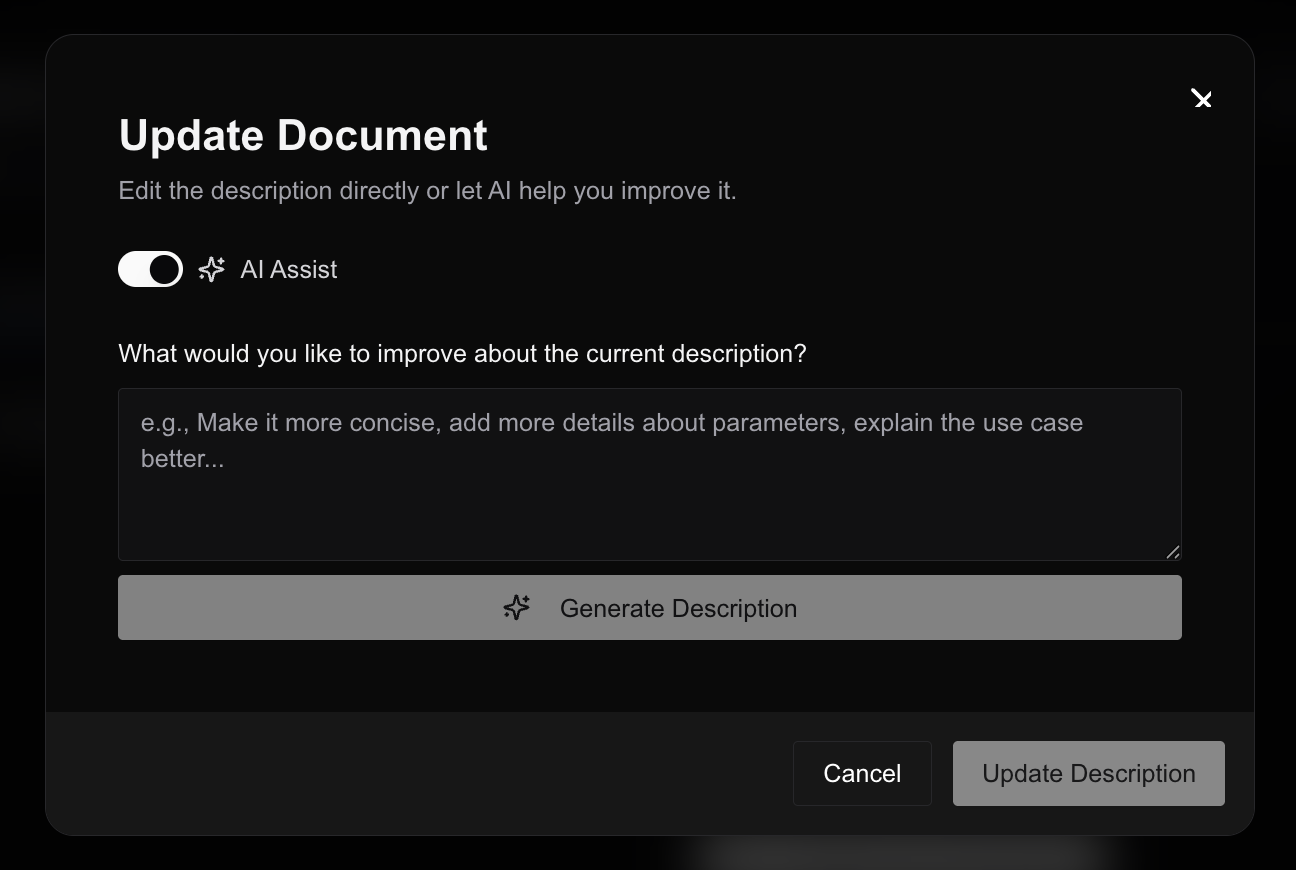
### Clear Descriptions
* Ensure tool descriptions are crisp and clear
* Anyone should be able to understand the purpose of the tool and when to use it
* Use Studio's AI assist feature to improve descriptions for each tool
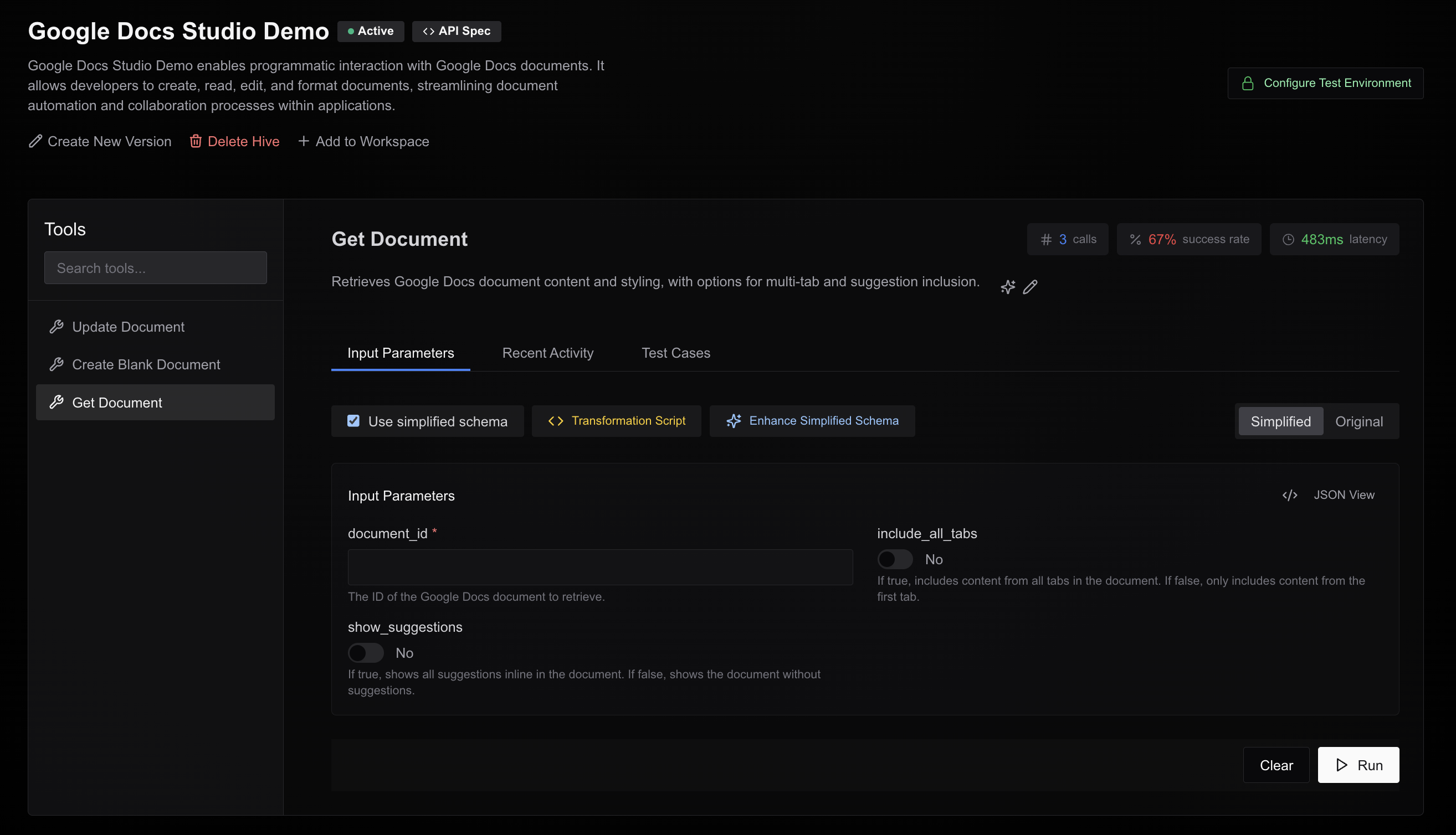
### Simplified Parameters
* Keep input parameters simple without unnecessary nesting
* Remove redundant or unused parameters
* Use Studio to simplify parameter schemas with one click
* Iteratively refine parameters based on testing feedback
### Transformation Scripts
* If you've simplified the input schema, carefully review transformation scripts
* Ensure simplified inputs correctly convert to the original format expected by your API service
* Test transformations with various input types to verify correct behavior
## Authentication
We support these standard authentication systems:
* OAuth2
* API Key
* Bearer Token
* HTTP Basic
**Recommendation:** Test your authentication flow with [Swagger Editor](https://editor.swagger.io/) before onboarding to our platform. If it works there, it should work with Hive as well.
Need support for other authentication methods? Contact us on [GChat](https://chat.google.com/room/AAAA-1lU1zM?cls=7) or mail us at [mandal.ashish@trilogy.com](mailto:mandal.ashish@trilogy.com).
## Testing
* Test each tool thoroughly before deploying
* Save test cases so you can rerun them in the future with a few clicks
## Hive Documentation
Our system generates:
* Hive descriptions
* Summaries of data models
Ensure these accurately represent your hive:
* Edit manually or use AI assist to refine
* Make sure descriptions capture the purpose of your hive
* Verify data model summaries are accurate and helpful
 ### Simplified Parameters
* Keep input parameters simple without unnecessary nesting
* Remove redundant or unused parameters
* Use Studio to simplify parameter schemas with one click
* Iteratively refine parameters based on testing feedback
### Transformation Scripts
* If you've simplified the input schema, carefully review transformation scripts
* Ensure simplified inputs correctly convert to the original format expected by your API service
* Test transformations with various input types to verify correct behavior
### Simplified Parameters
* Keep input parameters simple without unnecessary nesting
* Remove redundant or unused parameters
* Use Studio to simplify parameter schemas with one click
* Iteratively refine parameters based on testing feedback
### Transformation Scripts
* If you've simplified the input schema, carefully review transformation scripts
* Ensure simplified inputs correctly convert to the original format expected by your API service
* Test transformations with various input types to verify correct behavior
 ## Authentication
We support these standard authentication systems:
* OAuth2
* API Key
* Bearer Token
* HTTP Basic
**Recommendation:** Test your authentication flow with [Swagger Editor](https://editor.swagger.io/) before onboarding to our platform. If it works there, it should work with Hive as well.
## Authentication
We support these standard authentication systems:
* OAuth2
* API Key
* Bearer Token
* HTTP Basic
**Recommendation:** Test your authentication flow with [Swagger Editor](https://editor.swagger.io/) before onboarding to our platform. If it works there, it should work with Hive as well.
 ## Hive Documentation
Our system generates:
* Hive descriptions
* Summaries of data models
Ensure these accurately represent your hive:
* Edit manually or use AI assist to refine
* Make sure descriptions capture the purpose of your hive
* Verify data model summaries are accurate and helpful
## Hive Documentation
Our system generates:
* Hive descriptions
* Summaries of data models
Ensure these accurately represent your hive:
* Edit manually or use AI assist to refine
* Make sure descriptions capture the purpose of your hive
* Verify data model summaries are accurate and helpful